



Lumiverse 1.2.5 — The One Where I Finally Organize the Place
Desktop client revamps, a whole lotta stability tweaks, and a better Lumiverse all around.

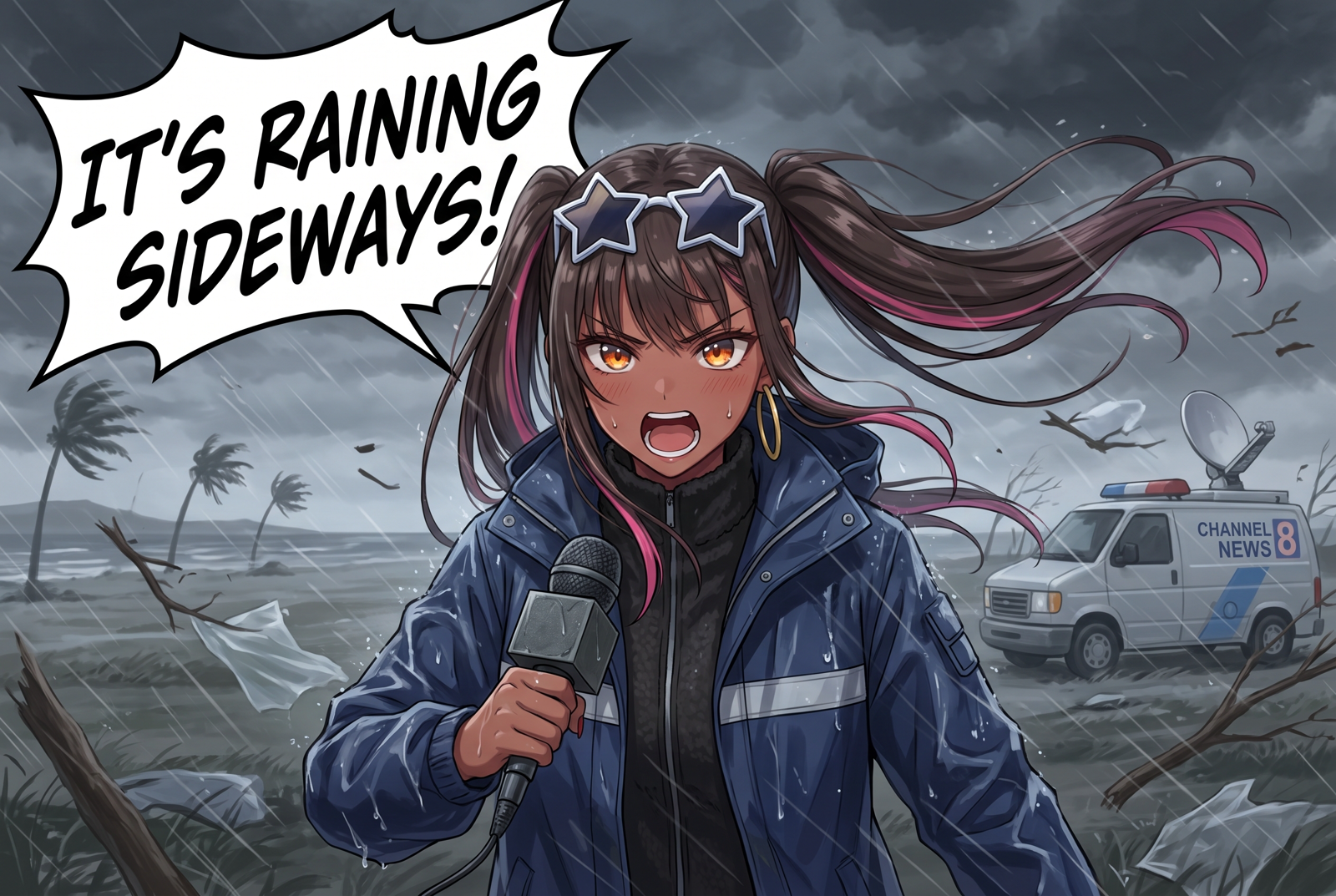
I was in a race to beat Hurricane Isaias for this one, and we just beat the clock there it seems.
Everything since 1.2.0, the last staging-to-main release on September 10. About a month. 348 commits, including merges. Apparently I had a few things to get out of my system.
This release started with a local TTS provider and ended with a desktop app that can sign into another machine, lorebooks with folders and a proper authoring workspace, and macros that can keep an actual inventory instead of a string held together by prayer.
There's a lot here. If you've been on main, this is the whole trip from 1.2.0; the version bumps along the way were staging stops. Grab something to drink.
Lumiverse Desktop Has Been Busy
The experimental desktop companion has grown quite a bit since 1.2.0. You can still use it to start and stop your local server, but you can now point it at a remote Lumiverse instance and sign in through your system browser. Your refresh credential lives in the operating system's credential store. Switching back to the local server restores the local process controls.
Remote instances need HTTPS. There's a new Instance Connection… tray menu for the address, and the desktop guide (opens in a new tab) covers trusted hostnames and reverse proxies. The server also gained support for your own TLS certificates, including multiple certificates through an SNI configuration. Useful if you're serving Lumiverse directly rather than putting a proxy in front of it.
Native notifications are now available through the companion. Register it in Notifications settings and it can keep receiving notifications while the integrated browser is closed. Notification destinations persist across desktop rebuilds and can be revoked from settings.
The integrated browser got rendering choices, restored native popout widgets, better floating-widget dragging, and a considerable pile of Windows and Linux repairs. Custom ports no longer break the title-bar controls. Windows got startup, title-bar, blur, and click-handling fixes. Linux got AppImage dependency and media fixes, UI scaling repairs, and experimental background effects for KWin and Mutter on Wayland.
Updating should also be less disruptive: the companion restores its session after the backend is ready, and the Windows tray can install a rebuilt companion. Desktop file drops now use the actual filesystem paths; you can drop characters, presets, and lorebooks anywhere in the integrated window.
There are pre-built desktop artifacts for macOS, Windows, and Linux, including ARM64 builds. The launchers also have a path to build and install the companion locally. A pre-built companion still needs a Lumiverse server to connect to; it doesn't contain your whole installation.
And yes, there's opt-in Discord Rich Presence now. The world can have opinions about your choice of waifus. Enable it if you want them shared.
Extension Screen Capture
Spindle extensions can request a screenshot or a short, video-only screen recording through Lumiverse Desktop on supported macOS and Windows systems.
You enable the transport from the desktop menu, and each capture asks you to choose a window or display through native controls. Source selection authorizes that capture to be sent to the displayed destination; Review Before Sending is available if you want to inspect it first. Clips are bounded to 1–30 seconds, and you can stop and discard an active request.
Capture starts disabled and needs enabling again after a restart or transport failure. Linux capture and rolling replay buffers haven't landed. An extension also needs the appropriate approved permissions. This is a new extension capability, so the actual workflow depends on an extension using it. This is highly experimental and still a WIP, so consider this an alpha feature that made it into main.
Illarin Takes Over the Public Hub Job
Illarin is the public destination now. The old hosted lumi.spot connection is retired, and upgrading removes those saved links so Lumiverse doesn't keep trying to reconnect to it. Custom and self-hosted LumiHub connections remain available; the LumiHub URL field starts empty.
Illarin was already delivering assets in 1.2.0. This release adds Spindle extension delivery, revises linking and permissions, and makes preset updates behave much more sensibly.
The current permissions are work:receive and library:sync. You choose them separately on the approval screen, and you can change them later from Illarin without unlinking everything. Refresh permissions in Lumiverse afterward. Library sync reports installed Illarin presets and extensions with their release numbers so updates can be detected. It doesn't report your chats.
On the same machine, linking shows a verification code and opens the approval page; enter the displayed code there. From another device, use the device-code flow. Temporary service or network failures retain the link so it can recover later.
New extensions arrive disabled. Review their requested permissions before enabling them. Updates retain the enabled state, existing grants, and stored data; additional permissions need approval. Delivery also checks the source identity before replacing an extension, and withheld-work notices are surfaced in the extension UI.
Preset updates replace the installed preset in place while retaining your sampler overrides, custom request body, and compatible prompt-variable choices. Regexes from older releases stay disabled in folders marked with their release number. Sending the same release again replaces that release's regexes. Illarin's numeric release version is tracked separately from whatever version label the creator wrote.
Fewer reasons to rebuild a setup after clicking Update. That was the assignment.
Lorebooks Finally Get Some Furniture
World-book editing got a substantial overhaul: folders, tags, and a native tabbed authoring workspace, with book navigation, an entry list, and the editor arranged together. The half-screen editor uses the same workspace, so you can keep the chat alongside it.
Entries can be organized, filtered, reordered, duplicated, and managed in bulk. State and Type changes now save through the supported bulk-update path, with recovery when a refresh fails and a conflict notice when another edit has changed the server's revision. Your pending bulk choices survive that recovery.
Search ranks matches across the entries before pagination, which means the thing you're looking for doesn't become invisible just because it lives on another page. Books without folders open straight into their entries. Folder navigation, selection hierarchy, keyboard and screen-reader navigation, iPhone safe areas, and the half-screen editor's clearance below the top dock all got attention.
Activated entries gained token estimates, and SillyTavern exports now preserve native entry IDs and settings more faithfully.
Stop the Tracker Summoning Everyone
If your story tracker lists every character you've ever met, World Info can mistake that list for the current scene and activate half the book. You can now mark text to exclude it from keyword scanning and vectorized lore queries:
<div wi-exclude>
Off-scene: Mira, Captain Holt, the entire suspicious council.
</div>
<wi-exclude>…</wi-exclude> and !--WI_EXCLUDE_START--! … !--WI_EXCLUDE_END--! work too. The text remains in the saved message and the model's prompt. It just stops triggering lore. The plain-text markers remain visible unless you hide them with a display regex.
That distinction matters. The model can still read the tracker; your keyword matcher can finally mind its business.
Arrange the Interface Around Your Own Habits
The sidebar now supports folders and labeled sections, so related tabs can live together. Folder lists scroll properly, and drawer-tab positioning can be dragged into place.
On desktop, drag the sidebar edge to resize it. The width is remembered and accounts for UI scale. There's also an opt-in setting to center chat content in the space left beside the sidebar. Keyboard resizing is supported too.
Composer icon organization is now a core feature. You can arrange the input area's actions without installing Lumiverse Suite. Suite still supplies its additional productivity surfaces when installed and enabled, and disabling it stops its active-connection override from applying. Saved Suite preferences remain for when you enable it again.
Extension action order and visibility now survive reloads and temporary extension unavailability. Old callbacks don't get to keep acting after their extension has gone away.
Council is consolidated into Setup, Feedback, and OOC. Setup handles members and tools, Feedback shows tool results and execution state, and OOC handles commentary. Each tab keeps its scroll position. Composition remains a separate destination for Loom Content, Sovereign Hand, and Context Filters; the preset drawer is now labeled Presets.
Smaller things you'll notice: existing-tag suggestions in the character editor, improved persona sorting, uncategorized personas staying visible when folders load, and the correct toast position from the first paint.
Image Gen Gets a Proper Workspace
The Image Gen drawer is focused on choosing a connection, prompt mode, output, and the controls you reach for during a chat. The deeper editing moved into dedicated places:
Prompt Studio: Main, Character, Persona, Parser, and Captioning views, with clearer preset lists and separate Save Changes / Save As New actions.
LoRA Studio: edit the ordered LoRA stack, strengths, and base tags.
Configure Generation…: Generation, Sources where supported, Automation, and Advanced controls, including ComfyUI workflow editing and mapped fields.
Main, Character, and Persona presets now share the configured generation parser. Switching one of those presets doesn't quietly replace its connection, model, or sampling settings. Captioning retains its own parser controls per captioning preset. The main prompt draft is saved after a typing pause and flushed before manual generation, and the main prompt preset is exposed through the Spindle image-generation API.
One behavior to know: generation parameter edits update the selected connection's defaults immediately. Done closes the window. If you want two different sets of parameters, duplicate the connection and keep separate profiles.
The generation actions also stopped being pinned over the drawer's content. My apparently radical new position is that buttons should let you read what's underneath them.
Provider work includes NovelAI v5 mode prepends, seed validation at the final request boundary, and tighter reference-image handling for Nano-GPT. Captioner prompt edits are committed more reliably too.
Prompt preview still runs the parser LLM, so that call can cost money. It avoids the image-provider call until you approve it. The output option Preview only is different: it generates an image and changes where the result goes.
Talk to It, Listen to It, Keep the Audio
Whistle adds on-device speech-to-text through WebAssembly. No API key, account, or separate transcription server. Its model files come from your Lumiverse instance and are cached on the device; transcription audio stays on that device.
It supports English, German, French, Spanish, Italian, Dutch, and Polish, with automatic language detection. Longer recordings are handled in bounded windows. It returns completed transcripts, supports continuous dictation and finishing after silence, and preserves opening audio while the model prepares once recording has started.
You'll need microphone permission and a compatible browser on HTTPS or localhost. Desktop microphone support includes native-shell changes, so update and fully restart an older companion if it lacks them. Sending the finished message still uses your usual chat connection.
On the other end, OpenVox TTS joins the providers for self-hosted speech, with model and voice discovery and queued synthesis. It's a local-server connection; OpenVox itself still needs to be running.
TTS playback now resolves the default connection and saved voice properly. Gemini PCM handling and OpenRouter's Gemini format selection were corrected, including the double-WAV-header problem. Speech tags no longer cut synthesis off prematurely, and the audio-only gap in Bubble display was fixed.
The message TTS widget also has a download button. If you like a reading, you can keep it.
Chat Edits, Presets, and the Smaller Everyday Wins
Edit and Send now binds the generated reply to the turn that was actually committed. Recovery doesn't retarget it from whatever the live chat happens to contain later. Message refreshes preserve newer local edits, and continuation completion no longer stomps a newer terminal edit.
Persona resolution waits for startup data to be ready. Duplicate greetings are identified by their saved index. Group-chat expression handling respects who's present, and expression sprites can be used as chat avatars.
Multi-select gained bulk message copying. Deleting messages now removes their prompt breakdowns and associated generated media; compaction and vacuum cleanup got follow-up repairs too.
Impersonation has clearer mode toggles and a configurable default, with chat-specific overrides. Dedicated preset mode includes the full preset assembly plus its impersonation prompt, and prefill follows the preset's continuation-prefill checkbox.
Presets can be uploaded in batches, with the upload limit raised to 50 MB. The generation metadata popover shows the preset name. Saved-profile deletion refreshes the available preset choices, and malformed preset data is guarded at the extension bridge as well as the normal path.
Finally, Enter-to-send has separate desktop and mobile preferences. You can keep the behavior you like at your desk without making your phone do the same thing.
Macros Can Carry Structured State Now
The new JSON macro family can read, write, delete, inspect, escape, and pretty-print structured data. There are variable-path macros for local, chat, and global variables, with SillyTavern-compatible aliases for the corresponding indexed/key operations.
Track inventory, quest flags, relationships, whatever your preset needs. For example, if a chat variable called tracker contains JSON:
{{jsonGet::{{getchatvar::tracker}}::gold}}
{{jsonHas::{{getchatvar::tracker}}::flags.met_guard}}
{{jsonLength::{{getchatvar::tracker}}::inventory}}
Valid <json>…</json> blocks in chat-message text stay literal through macro rendering and formatting cleanup. Macro-looking text inside JSON doesn't suddenly run, and plain-text JSON reads retain their literal braces through later processing. {{jsonBlock::{{lastCharMessage}}}} reads a valid block straight from the stored reply. Regex scripts can still deliberately change those blocks.
There's also {{#escape}}…{{/escape}} for literal macro text. Loop macros such as foreach, map, and filter can use the # flag to preserve item whitespace and empty items when those carry meaning.
Prompt placement got fixes alongside the new toys: blocks sharing an in-history depth retain prompt order, and World Info Before/After marker blocks configured in-history now insert at their actual depth. Imported Risu-style layouts benefit from that one.
The macro reference (opens in a new tab) has the syntax, path rules, and limits. There's enough here to build something complicated, and I know some of you took that as a challenge before finishing this paragraph.
Memory and Databanks: Fewer Surprises
An explicit #document mention now includes the document's entire parsed text. Previously, a larger document could fall back to semantic chunks. Automatic retrieval still selects relevant chunks, but an explicit mention means the whole document. Keep an eye on the model's context window if you mention a large one.
Document chunking got corrected overlap, source offsets, and splitting performance. Processing races were fixed, and databank macros and Cortex fallback placement received repairs. Chat Memory rebuilds no longer race the same way with regenerated messages and removed chunk associations.
Cortex fallback rows can actually be removed, including after recovery. Message iteration and Cortex pagination limits were corrected too.
Summaries can lag behind the current message, leaving the newest turns out of the summarization pass. Handy while you're still swiping or deciding whether the last response is staying.
The memory guides were also rewritten to explain the three systems and where they inject: Summary, Chat Memory / LTM, and Memory Cortex. Summary doesn't require embeddings or Cortex. Chat Memory defaults to Macro only placement; databank retrieval has its own automatic fallback. That's documentation catching up with the actual controls, rather than a new memory engine being announced under three names.
Providers and a Better View of What Was Sent
Vertex AI can now route supported Model Garden partner models through their appropriate APIs, including Claude and managed models using OpenAI-compatible protocols. Availability still depends on your project, region, and model access.
New tokenizer mappings cover Xiaomi MiMo V2.5 / Pro and V2.6 Pro / Flash, MiniMax M3, and DeepSeek V4.1 Flash. Claude Opus reasoning eligibility uses version-aware detection, and Gemini tool dispatch no longer damages names containing literal underscores.
OpenRouter and Nano-GPT authorization flows got desktop callback repairs, better popup completion, and fixes for unnecessary refreshes on remote backends. SSO sign-in and session recovery in the companion also received attention.
There's a new opt-in recent request history in Account settings. It keeps the last 20 text-provider requests and responses, including sidecars and extensions that generate through Lumiverse, with credentials redacted. You can inspect and copy bodies, see errors and interrupted responses, and clear the history. It lives in memory: disabling it or restarting the server clears it.
And a deliberate behavior change: core generation no longer silently retries 429 / 5xx failures. Automatic retries were also removed from several embedding, Cortex, and image-provider paths. Failures surface for you to handle instead of another request quietly going out. The connection-failure notification path reports errors more clearly as well.
Performance, Rendering, and the Usual Gremlins
Tokenizer switching got a serious pass: earlier warmup, cached resources on disk, concurrent downloads, count-only paths, and worker reuse where the needed tokenizer is already loaded. Cached resources survive restarts; stale configurations and failed loads are handled more carefully. Where a provider gives us usage data, we use it before doing a local recount.
Rich HTML messages got their own round of work. Card styles are preserved, style restoration does less repeated work, and deeply nested or widely spaced markup stays more responsive. Image layout updates when message content changes. Rendering transitions wait for height calculation so regex HTML and message-tag replacements don't kick off the same layout thrash.
Regex rendering now retains compact script references rather than copying large scripts into every render key. The replacement-text cap was raised to 50,000 characters. Folder creation, deletion, and persisted tab scope also got fixes.
Native extension widgets gained a dedicated smaller frontend path, reducing the amount of app state and code loaded for each widget. Image caching is bounded, WKWebView decoding quirks were addressed, and landing-page transitions reconcile their snapshots with current state.
Token-speed and time-to-first-token accounting got several corrections, including reasoning summaries and non-streaming responses. Those numbers should describe the generation you just watched.
The browser now defaults to one active tab per account in that browser. Other tabs show a takeover path, and Account settings has an opt-out. This helps keep two frontend sessions from acting on the same save at once.
Safer fetch handling now enforces response-size and timeout limits while reading the body, not just when headers arrive, and handles more IPv6 address forms correctly. Authentication, bulk API validation, and numeric parameter parsing got maintenance fixes too.
Themes, Scaling, and Touch
Theme authors get additional semantic material and chat-shell tokens, stable Wallpaper Library hooks, character-grid column overrides, and a more stable original-component boundary.
LumiTheme import and export are unified in the theme surface, and theme names stay in sync across saving, exporting, and importing. Character-aware themes can apply translucency tint, global UI scale was repaired, and the scale range now reaches 0.5×. Someone asked (it was Critter). Someone else will find a way to make it tiny enough to require a microscope.
Mobile image lightboxes support pinch zoom. Trackpad pinch and scroll zoom work in lightboxes too, with a separate opt-in desktop viewport pinch setting under Display. Duplicate PWA keyboard insets were fixed, floating-widget drag state resets correctly on a new touch, and extension modals account for UI scale.
Spindle: More Control, Better Lifecycle Rules
Extension authors have a fair amount to look through this release:
Required, cancellable generation hooks and clearer failure handling when a required stage cannot finish.
Versioned runtime state and mutation acknowledgements, plus browser work routed back to its originating document.
Display-processing ownership that preserves local state and literal macro sources, finishes even without active scripts, and lets an owning extension opt out of formatting repairs or inline card-spacing wrappers.
Preset-bound regex ownership that remains isolated per extension and survives ownership migration; saved preset choices apply to message formatting.
Resolved preset ID and extension-scoped preset metadata in interceptor contexts, with matching support through
presetField.Opt-in World Info output ordering, row-level DOM injection replayed into the correct row, and fixes for free state selectors being mistaken for gated ones.
Loom block-editor action mounts and prompt-variable move callbacks, the image main-prompt preset API, and a reversible widget touch-scroll override.
Frontend speech-to-text APIs, alongside the existing extension STT provider registration path, and the new desktop-capture worker API.
The types package is now 0.6.40. The developer docs (opens in a new tab) were updated across these surfaces; check them if your extension takes ownership of generation or display processing.
Getting In, Updating, and Bringing Your Stuff
The SillyTavern migration UI now accepts ZIP backups for upload and processing.
There's also a first CharacterLibrary full-bundle migration CLI, available through bun run migrate:cl. It previews the bundle, imports characters, linked lorebooks, galleries, chats and swipes, and keeps the original archive and a report. Interrupted jobs can be resumed without duplicating completed items.
This first version has no migration UI or import rollback. Regexes arrive disabled by default for review, and it can't restore expressions or external scripts missing from CharacterLibrary's export. Existing imported identities aren't silently overwritten when their source content changes. The migration guide (opens in a new tab) covers those limits and the dry-run command.
Launchers and runtime checks now target Bun 1.4.2 or newer. Windows got better Bun detection, Rust and MSVC setup checks, safer command quoting, and desktop build recovery. First installs also stopped finding their way into System32, which was a real ambitious place to put a chat app.
Termux got glibc and keyring repairs, preserved Bun wrapper chains through frontend builds and probes, and utility modes that bypass Bun package aliases. Supporting that environment remains a full-time sport.
Docker builds exclude the desktop project and avoid rebuilding the image for unrelated changes. Runner logs are split by run with retention. Installation docs now include dedicated desktop and Android walkthroughs, Tailscale setup, Termux troubleshooting, and an environment-variable reference.
The Community License is now version 2.2, clarifying Free Community Hosting and user-created instance content, including presets and more. The license text (opens in a new tab) has the actual conditions.
A Few Things to Know When You Update
Public LumiHub users: link to Illarin from Settings. The saved lumi.spot connection is retired.
Desktop users: update the companion as well as the server for the native features, especially microphone support. Remote instances need HTTPS and a trusted hostname.
Heavy databank users: explicit mentions now insert full documents, so check your context budget.
Image Gen users: parameter edits save to the connection immediately; duplicate profiles for different defaults.
Multiple-tab users: Account settings controls the new one-active-tab default.
Anyone hitting provider errors: core retries are now explicit instead of automatic.
Hat Tips
A lot of people put hands on this one. Thank you:
kittylotus — the lorebook workspace and organization, sidebar organization and resizing, Council and Image Gen workspaces, theme hooks, expression avatars, desktop update handoff, and a considerable amount of documentation and Termux work.
AMousePad — rich-message rendering and performance, chat lifecycle fixes, the one-active-tab feature, World Info ordering, and the Spindle execution, state, and display-ownership work.
japolino — preset-regex ownership, literal escape blocks, macro whitespace handling, prompt-depth ordering, interceptor preset context, mobile pinch support, desktop custom-port controls, and Spindle repairs.
CreativityPod — OpenVox TTS and the image main-prompt preset API.
I-Sereya-I — Edit and Send preservation, bulk lorebook updates and token estimates, removable Cortex fallbacks, and extension action preferences.
CJ Hauser / CloudCompile — fixes across macros, document chunking, pagination, fetch limits, authentication, databank processing, and bulk APIs.
Sillyfrogster — Illarin extension delivery and its installation/update handling.
TheLiquorPriest — the JSON macro family and World Info scan-exclusion markup.
Tantoofaaz777 — draggable drawer-tab positioning, prompt-stash scrolling, and PWA keyboard fixes.
Steven / Archkr — the opt-in desktop viewport pinch setting.
j-dandelion — startup toast-position handling.
flfranks — cleaning up prompt breakdowns when their messages are deleted.
Pulchra Fellini — For being a peak waifu.
That's 1.2.5. Go write something with it. I'm going to enjoy the very brief period before somebody sends me a preset that requires another tab.
— Prolix
Subscribe to blog updates.
Subscribe via RSS