

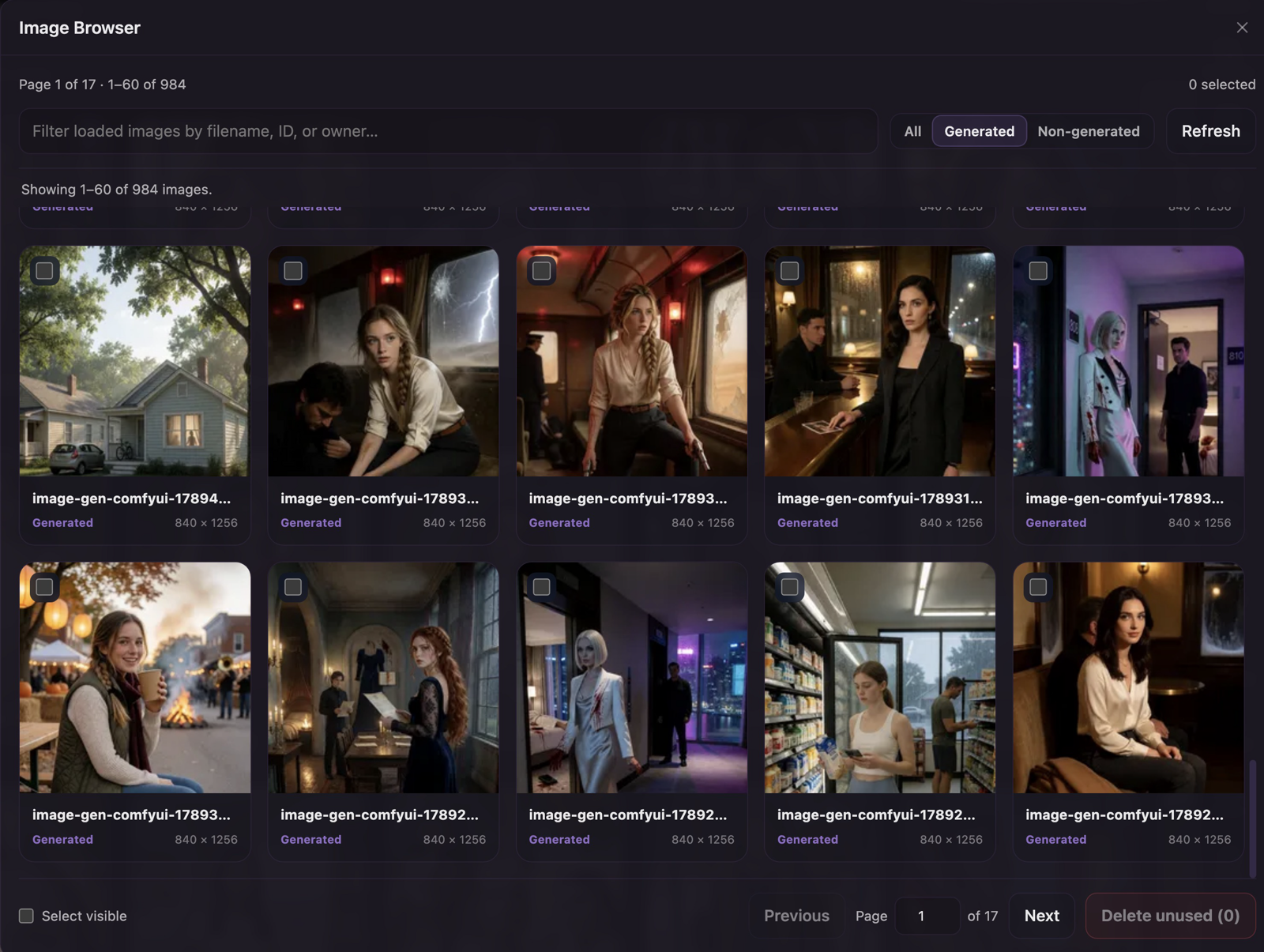
Browse, preview, select, and safely remove unreferenced Lumiverse image assets.
About
Browse, preview, select, and safely remove unreferenced images stored by Lumiverse without opening a shell in the Docker container.
Permissions
1 permission
Read, upload and delete your stored images and videos.
What it adds
2 additions
- 2
Drawer tab: Image Browser
Input bar action: Open Image Browser
Version and source
2 details · 1 link
Details
0.1.5
1.1.6
Links
Features
Wide, responsive thumbnail browser in a native Lumiverse modal
Drawer launcher, command-palette entry, and chat Extras action
Paginated browsing with All, Generated, and Non-generated views and correctly filtered totals
Remembers the last successfully loaded page for the signed-in Lumiverse account
Remembers the selected image-type view and recently confirmed reference badges
Full-resolution, contained image previews; stored videos use native controls
Multi-selection across loaded pages
Safe bulk cleanup through Lumiverse's existing
unused=truedeletion pathReferenced images remain stored and are marked as protected after a cleanup attempt
Safety boundary
The extension requests only the privileged images permission. It never calls the force-delete Spindle methods. A cleanup request is sent separately for each selected asset, and Lumiverse's own deleteImageIfUnreferenced() check decides whether the original, thumbnails, and database row may be removed.
Reference status is not currently exposed as a non-destructive Spindle query. Images therefore begin with unknown status; an image that Lumiverse refuses to delete is marked Referenced and that observation is cached for the signed-in account for up to 90 days (at most 2,000 records). The badge tooltip explains that the cached status may have changed and the image can be checked again.
Account storage
The last page, image filter, and reference cache are persisted through spindle.userStorage in state.json under {DATA_DIR}/users/{userId}/extensions/image_browser/. The backend uses the authenticated sender's user ID for every read and write, including globally installed extensions. Each account has separate state, available on its other browsers and devices when Image Browser is reopened. Updates are serialized per account and reference changes are merged so concurrent tabs do not overwrite unrelated entries; the last saved page/filter wins.
Image Browser no longer reads or writes browser localStorage. Existing browser preferences are not migrated. If storage is unavailable, browsing and safe deletion remain available with a visible warning; reopen the browser to retry loading preferences. No additional permissions are required.